Building a Small Workplace Tool: AI-Assisted Development vs. Traditional Coding
When teams need a small internal tool, they often face a familiar choice: write it by hand in a traditional programming language, or try one of the newer AI-assisted approaches that let you describe what you want and generate the code. Both paths have their strengths, and the right answer depends on the team, the tool's purpose, and the time available. This article compares the two approaches for a professional audience considering a short course on generative AI app building through a Singapore classroom program like the one offered by UCC.
What Do We Mean by AI-Assisted Development?
AI-assisted development covers a range of practices. At one end, you use a large language model to write snippets of code, debug errors, or suggest improvements as you type. At the other end, you describe the tool's purpose in plain language, and the AI generates a complete application, sometimes called "vibe coding", that you can then test and refine. The AI produces the user interface, the prompt logic, and the app workflow based on your description. You still need to review the output, adapt it to your environment, and handle deployment, but the initial coding effort drops dramatically.
Traditional Coding: Familiar and Predictable
Traditional coding means writing the tool yourself in a language like Python, JavaScript, or C#. You define the data structures, build the user interface, handle errors, and manage deployment manually. This approach gives you full control over every line of code. You know exactly how the application behaves because you wrote it. If a bug appears, you can trace it back to a specific line. If the tool needs to integrate with a legacy system, you can write custom adapters without worrying about whether an AI model understands your company's unusual database schema.
Traditional coding also works well when the tool must meet strict security or compliance requirements. You can audit the code thoroughly, add encryption, and control access at a granular level. For a small internal tool that handles sensitive data, this control often matters more than speed of development.
The main downside is time. Writing a tool from scratch, testing it, and deploying it can take days or weeks, even for a simple application. If the team lacks experience with the chosen language or framework, the timeline stretches further. And once the tool is built, maintaining it requires ongoing developer attention.
AI-Assisted Development: Speed and Accessibility
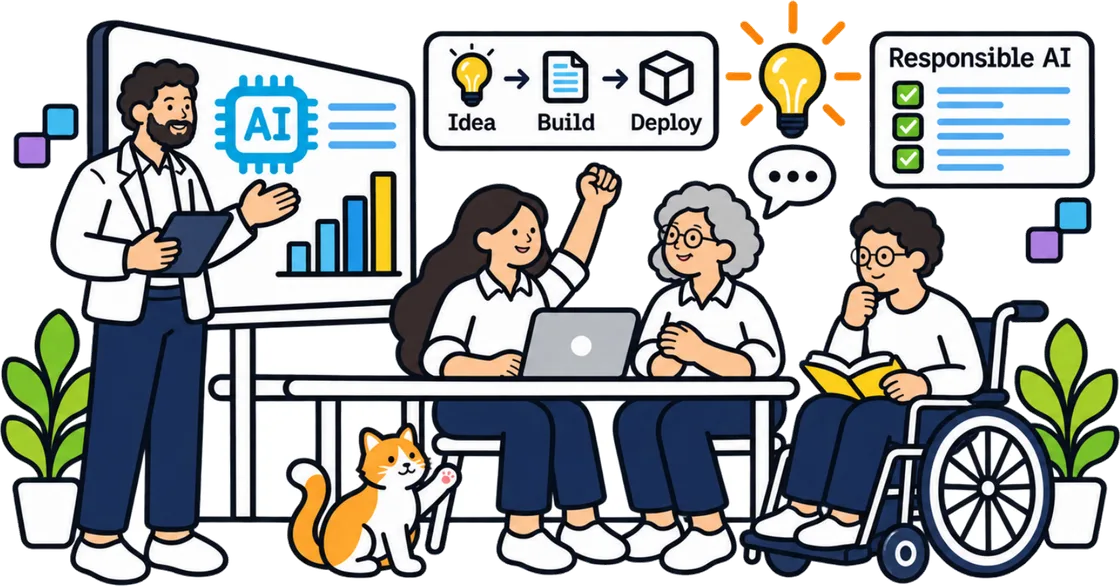
AI-assisted development changes the equation in a few important ways. First, it lowers the barrier to entry. Someone who understands the workflow their team needs but does not write code regularly can describe that workflow and get a working prototype in minutes. They can iterate on the user interface by saying "make the button larger" or "add a confirmation dialog" instead of editing CSS or JavaScript directly. This speed is a real advantage when the tool is needed urgently, for example, a dashboard to track a weekly report that the team keeps forgetting to compile.
Second, AI-assisted development can handle the boilerplate parts of an application, login screens, data entry forms, simple tables, very quickly. The developer can focus on the parts that require domain knowledge or careful logic, while the AI fills in the rest. For a small workplace tool that mostly moves data from one view to another, this can cut development time by half or more.
However, AI-generated code is not always correct. The model may produce code that looks plausible but contains subtle bugs, security gaps, or performance issues. It may generate a user interface that works in the demo but breaks under real-world input. Testing and reviewing the generated code becomes essential, and that still requires someone who understands programming enough to spot problems. The phrase "vibe coding" captures the relaxed feel of describing what you want and watching it appear, but the final product still needs rigorous checking.
When Each Approach Suits
Traditional coding suits tools that must be reliable, secure, and maintainable over years. If the tool will be used by many people in the organisation, or if it handles financial or personal data, the control and auditability of hand-written code matter. It also suits tools that need to integrate deeply with existing systems, especially older ones with unusual APIs.
AI-assisted development suits prototypes, one-off scripts, and tools with a short expected lifespan. If the team needs to test an idea quickly, "could we automate this approval process?", building a quick AI-assisted prototype lets them prove the concept before investing in a full traditional build. It also works well for tools that the developer will maintain themselves, since they can return to the AI to make changes rather than digging through code they wrote months ago.

Many teams use a hybrid approach. They generate a first version with AI, test it, and then rewrite the critical parts by hand. The AI handles the scaffolding; the developer handles the logic that must be exactly right. This combination often delivers the best balance of speed and quality.
What a GenAI App Building Course Can Offer
A short, focused course on generative AI app building, such as the two-day program run by UCC in Singapore, can help professionals understand both the possibilities and the limits of AI-assisted development. It teaches participants how to describe a tool's requirements in a way that produces useful code, how to test and refine that code, and how to deploy the result safely. The course also covers the practical skills needed to decide when AI assistance is appropriate and when traditional coding is the better path. For someone who needs to build a small workplace tool but has not used generative AI before, this kind of training can save weeks of trial and error.
Practical Considerations for Your Team
Before choosing an approach, think about the tool's expected lifespan. A tool that will be used for a few months can tolerate a bit of messiness in the code. A tool that will be used for years needs a solid foundation. Also consider who will maintain it. If the original builder leaves, can someone else pick up the AI-generated code and understand it? Hand-written code, if well documented, is often easier for a new person to take over.
Think about the data involved. If the tool touches customer data, employee records, or financial information, security and privacy requirements may push you toward traditional coding or at least toward a hybrid approach where the security-critical parts are hand-written. AI models can generate code that accidentally exposes data through insecure endpoints or poor access controls.
Finally, consider the team's existing skills. A team that already knows Python and JavaScript will get more from AI-assisted development than a team that has never coded. The AI can fill in knowledge gaps, but it cannot replace the ability to review and debug the code it produces.
The Bottom Line
AI-assisted development and traditional coding are not enemies. They are tools. For a small workplace tool, the best approach often mixes both: use AI to get a working prototype fast, then refine and harden the parts that matter most. The choice depends on the tool's purpose, the data it handles, and the team's skills. Understanding when to use each approach is a practical skill that a GenAI app building course can help you develop, not by replacing your judgment, but by giving you a clearer picture of what is possible.